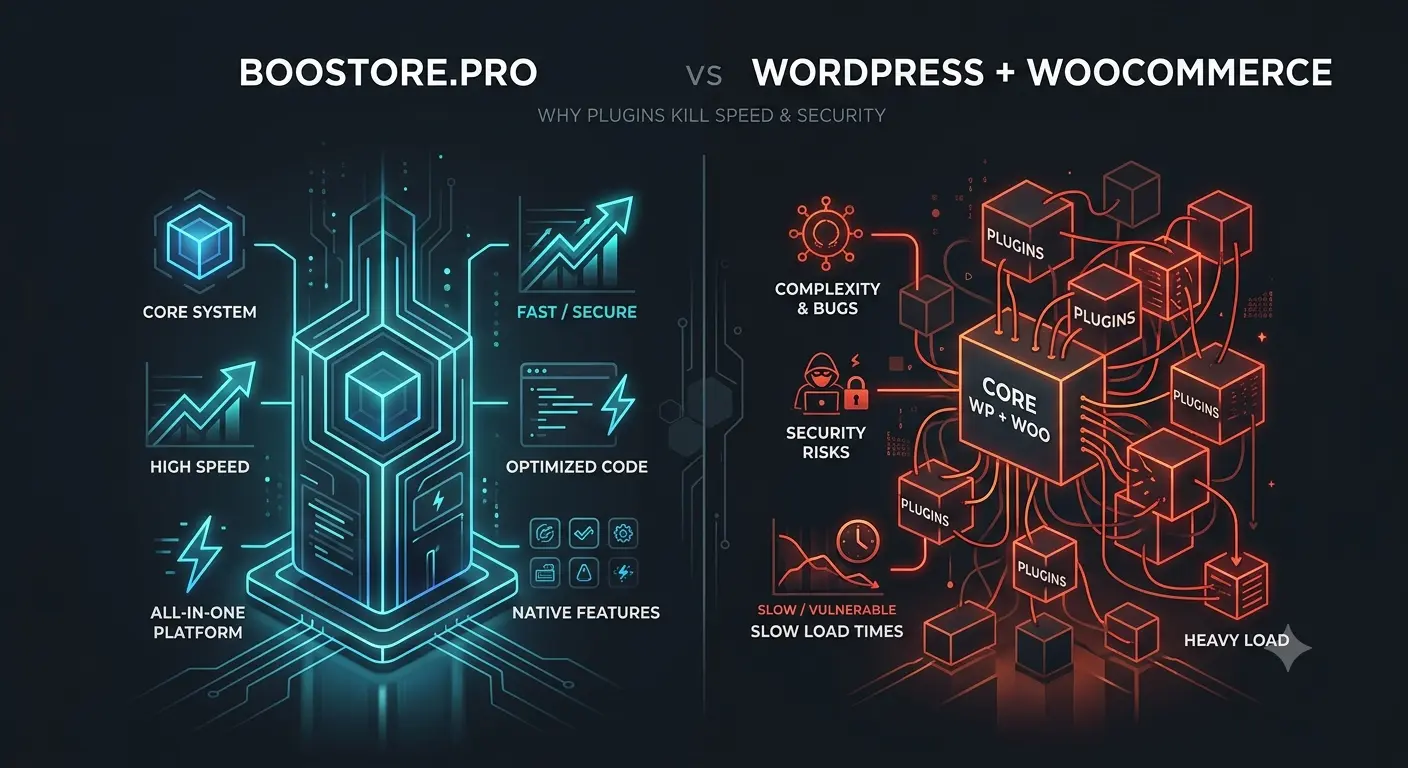
🔍 WordPress + WooCommerce vs BooStore: why plugins kill your e-commerce site speed and security
Debunking the biggest e-commerce myth: WordPress is «free» and WooCommerce is «easy to set up». In reality, 50+ plugins, monthly vulnerabilities, speed drops at 1000 products, and hidden hosting costs turn «free» WP into an expensive headache. We break down the real cost, speed, security, and architecture of both platforms.
Table of Contents
- The illusion of an easy start: why WordPress is not an e-commerce CMS
- Database architecture: why WooCommerce slows down on large catalogs
- Site speed and Core Web Vitals: the fight for milliseconds and conversions
- Total Cost of Ownership (TCO): hidden costs of «free» WordPress
- «Plugin hell»: vulnerabilities, update conflicts, and hacking risks
- Import and synchronization: why updating stock from 5 suppliers on WP is a problem
- SEO and marketing out of the box: built-in features vs crutches
- Final verdict: when WordPress works and when you need a specialized e-commerce platform
🏁 1. The illusion of an easy start: why WordPress is not an e-commerce CMS
WordPress started as a blogging platform in 2003. WooCommerce appeared in 2011 as a plugin to add a shopping cart to a blog. It is fundamentally not an e-commerce system, but a blog with sales «bolted on» through dozens of plugins.
Compare for yourself: to do on WooCommerce what BooStore does «out of the box», you need to install and configure 15–25 plugins. Each plugin is additional code, SQL queries, vulnerabilities, and potential conflicts.
📊 What needs to be added to WooCommerce
| Feature | WooCommerce (WP) | BooStore |
|---|---|---|
| Search filter by attributes | Plugin $39–99/year | Built-in |
| Product import from Excel/CSV | Plugin $29–79/year | Built-in |
| Product variations (sizes, colors) | Basic + customizations | Built-in |
| Wholesale pricing (quantity tiers) | Plugin $49–149/year | Built-in |
| 301 redirects in bulk | Plugin Yoast/RankMath | Built-in |
| Scheduled automatic import | Plugin $99–199/year | Built-in |
| Multilingual (WPML/Polylang) | Plugin $79–199/year | Built-in |
| CMS panel, blog, articles | Built-in | Built-in |
| Marketplace integration (Rozetka, Prom, Etsy) | Plugin $150–450/year | Built-in |
| Analytics (Google Analytics / Facebook Pixel) | Plugin or manual code | Built-in |
| Emails (transactional, triggers) | Basic + plugin | Built-in |
| Product reviews and ratings | Basic + moderation | Built-in |
⚖️ Key architectural difference
🧱 WordPress — a monolith with plugins
The WP core was written for blogs. WooCommerce is a plugin on top of the core. Every additional plugin is a layer of «crutches». The database is bloated: 11+ WP tables + 25+ WooCommerce tables + each plugin's tables. At 5000 products, the DB can contain 100+ tables.
🚀 BooStore — a specialized e-commerce platform
Designed from scratch for online stores. Optimized DB for products, categories, orders, attributes. Minimum SQL queries per page. Built-in caching, WebP, Gzip, CDN — no plugins needed.
🗄️ 2. Database architecture: why WooCommerce slows down on large catalogs
When WooCommerce reaches 1000+ products with variations, the site starts to slow down noticeably. The reason is the database architecture, which is not optimized for product catalogs.
📉 How WooCommerce stores products
WooCommerce uses WordPress's post-meta model: each product is a record in wp_posts, and each attribute, price, SKU — a separate record in wp_postmeta. One product with 10 attributes generates 11+ DB queries. A catalog of 10,000 products with variations — hundreds of thousands of records in wp_postmeta.
wp_postmeta. With each new plugin, the number of queries grows. Result — LCP of 3–6 seconds instead of 0.8–1.2 seconds.
📊 Architecture comparison: WooCommerce vs BooStore
| Parameter | WooCommerce (WP) | BooStore |
|---|---|---|
| Product storage model | posts + postmeta (EAV model) | Normalized schema |
| SQL queries per catalog page | 50–200+ | 5–15 |
| Page generation time (1000 products) | 0.8–2.5 sec | 0.15–0.3 sec |
| Page generation time (10,000 products) | 3–8 sec | 0.3–0.6 sec |
| Query caching | Only via plugins | Multi-level built-in |
| Filtering by attributes | Heavy JOIN queries | Optimized indexes |
⚡ 3. Site speed and Core Web Vitals: the fight for milliseconds and conversions
Google officially made Core Web Vitals (LCP, FID, CLS) ranking factors in 2021. Loading speed directly affects search rankings and conversion rates. Studies show: each second of delay reduces conversion by 7%.
📉 Why is WooCommerce slow?
- 50+ HTTP requests per page — each plugin adds its own CSS/JS
- Heavy SQL queries — postmeta model requires multiple JOIN operations
- No built-in caching — need a plugin like WP Rocket ($59/year)
- No WebP «out of the box» — images load in original format
- CSS/JS not minified — each plugin loads its own files
- Heavy libraries — jQuery, slider libraries, popups
🚀 Why is BooStore fast?
- Minimum HTTP requests — 5–10 per page instead of 50+
- Built-in multi-level caching — data, pages, CDN
- Automatic WebP conversion — all images optimized
- Gzip/Brotli compression — CSS, JS, HTML served compressed
- Clean HTML+CSS — no table-based layouts or heavy libraries
- Optimized DB — minimum queries, fast indexes
📊 Core Web Vitals comparison
| Metric | WooCommerce (typical) | BooStore | Google Standard |
|---|---|---|---|
| PageSpeed Performance | 30–60 | 99–100 | ≥ 90 |
| LCP (Largest Contentful Paint) | 2.5–6.0 sec | 0.8–1.2 sec | ≤ 2.5 sec |
| FID (First Input Delay) | 150–400 ms | < 50 ms | ≤ 100 ms |
| CLS (Cumulative Layout Shift) | 0.2–0.5 | < 0.05 | ≤ 0.1 |
| TTFB (Time to First Byte) | 0.8–2.0 sec | 0.1–0.3 sec | ≤ 0.8 sec |
💰 4. Total Cost of Ownership (TCO): hidden costs of «free» WordPress
WordPress is free software. WooCommerce is a free plugin. But the real cost of owning an online store on WP consists of many hidden expenses that surface within the first year.
📋 Real TCO calculation for 1 year for a store with 20,000 products
| Expense item | WooCommerce | BooStore |
|---|---|---|
| Hosting (supporting 20,000 products) | $50–150/month (VPS/Cloud) | $3–15/month (included) |
| Caching plugin | $59/year | Built-in |
| SEO plugin (Yoast/RankMath Pro) | $79–99/year | Built-in |
| Product import (WP All Import etc.) | $79–199/year | Built-in |
| Product filter (FacetWP / SearchWP) | $59–99/year | Built-in |
| SSL certificate | $0–99/year | Built-in |
| Multilingual (WPML) | $79–199/year | Built-in |
| Marketplace integration | $150–450/year | Built-in |
| Backup and security | $39–199/year | Built-in |
| Developer support (optional) | $500–3000/year | Platform support |
| Total for 1 year | $1,100–5,000+/year | $36–180/year |
🆓 BooStore — lifetime free plan (up to 300 products, all features) or unlimited on the pro plan. Paid plans start at $3/month. No hidden fees, no «urgent customizations». Try it for free →
🔒 5. «Plugin hell»: vulnerabilities, update conflicts, and hacking risks
WordPress is the most popular CMS in the world (~43% of all websites). And that is exactly why it is the #1 target for hackers. Thousands of vulnerabilities are published every year, most of which are in plugins.
📋 WordPress security issues
🧩 Plugins — security holes
97% of WordPress hacks happen through plugin vulnerabilities. Free plugins often go unupdated for years. Premium plugins may be pirated with backdoors. Each new plugin is a potential attack vector.
🔄 Update hell
Updated WooCommerce — the filtering plugin breaks. Updated the filtering plugin — the product card template breaks. This is an endless cycle that requires constant developer attention.
🎯 Targeted attacks
WordPress is the most attacked CMS. Automated bots scan sites for known vulnerabilities. If you have an outdated plugin version — your site will be hacked.
🔑 Virus distribution
A hacked WooCommerce site can send spam, steal credit card data, redirect users to phishing pages. Reputation damage and hosting block.
🔐 Security comparison
| Parameter | WooCommerce | BooStore |
|---|---|---|
| Third-party plugins | 15–25 pcs (each — a risk) | None (built into core) |
| System updates | Manual + conflict risk | Automatic, safe |
| Known CVE vulnerabilities | Thousands annually | 0 (closed system) |
| SQL injections | Risk via plugins | Core-level protection |
| Card data security | Via third-party plugins | Certified gateways |
| Regular backups | Need plugin $39–79/year | Automatic |
| Disaster recovery | Manual, if backup exists | Automatic, 1 click |
📥 6. Import and synchronization: why updating stock from 5 suppliers on WP is a problem
In real-world e-commerce, products and stock levels change daily. 3–5 suppliers send price lists in different formats. On WooCommerce, synchronization becomes a nightmare: each format — its own plugin, each plugin — its own crutches.
📉 Synchronization problems on WooCommerce
📄 Each format — its own plugin
CSV, XLS, XML from 5 suppliers — you need 3–5 different plugins for import. Each plugin $79–199/year. Or one universal one for $199/year that still requires customizations. On BooStore — built-in import from any format, including ZIP archives.
🧩 No automation «out of the box»
WooCommerce cannot update products on a schedule. You need WP-Cron + an automation plugin. WP-Cron is unreliable — it only triggers when someone visits the site. BooStore updates products on a schedule from 4 hours to 28 days, without human intervention.
🔄 Update errors
Importing to WooCommerce often causes errors: broken encodings, product duplicates, attribute resets. Without a technical specialist, data recovery is difficult. BooStore — intelligent field mapping, duplicate checking, bulk editing through the interface.
📊 Google Sheets — reality
Many suppliers work through Google Sheets. WooCommerce cannot connect Google Sheets as a data source. BooStore — live connection: changes in the sheet → auto-sync with the site. Instant price and stock updates.
📋 Import and synchronization comparison
| Parameter | WooCommerce | BooStore |
|---|---|---|
| Import formats | CSV (basic) | CSV, XLS, XML, YML, Google Sheets, ZIP |
| Variant import | Via plugins | Out of the box |
| Scheduled automatic import | No (only plugins) | Built-in, from 4 h to 28 days |
| Multiple data sources | 1 source | Independent sources with different settings |
| Google Sheets as source | No | Live connection |
| Stock update from 5+ suppliers | Grueling manual work | Automatically on schedule |
| Bulk product editing | Via plugins or SQL | Built-in interface |
📈 7. SEO and marketing out of the box: built-in features vs crutches
SEO for e-commerce means hundreds of product pages, categories, filters, articles. On WooCommerce, without Yoast SEO Pro ($99/year) or RankMath Pro ($79/year), you cannot properly manage meta tags. But even with them — they are «crutches» on top of a blogging CMS.
📋 SEO capabilities comparison
| Parameter | WooCommerce | BooStore |
|---|---|---|
| Meta Title / Description for products | Via Yoast/RankMath | Built-in, with shortcodes |
| Schema.org markup (JSON-LD) | Via plugin | Automatic |
| XML Sitemap | Via Yoast/RankMath | Auto-generated |
| Open Graph (social media) | Via plugin | Per-product customization |
| 301 redirects (bulk import) | Limited, via .htaccess | Bulk URL pair import |
| SEO-friendly URLs (control) | Basic /product/.. | Full control |
| Canonical URLs | Via Yoast/RankMath | Automatic |
| hreflang for multilingual | Only with WPML | Automatic |
| Speed (SEO impact) | 30–60 PageSpeed | 99–100 PageSpeed |
📊 Visualization: number of «crutches» for basic SEO
Share of manual setup / plugins required for full SEO
🏆 8. Final verdict: when WordPress works and when you need a specialized e-commerce platform
WordPress + WooCommerce is not always bad. There are scenarios where it makes sense. But for most commercial online stores, a specialized e-commerce platform is a matter of business survival.
📌 When WordPress might work
- Micro-store up to 200 products — if you don't plan to grow
- You have your own developer — who will watch over security, updates, and conflicts
- Specific custom solutions — that no platform covers
- Blog with occasional sales — when the store is not the main business
- Hobby project — time is not money
❌ When WordPress is a bad choice
- Catalog of 500+ products — slowdowns and DB problems will begin
- No in-house developer — updates will break the site and you won't be able to fix it
- You work with suppliers — you need regular import, not manual updates
- Security matters — WooCommerce is the #1 target for hackers
- SEO is your traffic source — without perfect speed and meta tags, you lose to competitors
- You plan to scale — migrating from WP to another platform is painful and causes data loss
- Budget is limited — paradoxically, «free» WP ends up costing more than BooStore
⚖️ Final comparison: WordPress vs BooStore
| Criterion | WordPress + WooCommerce | BooStore |
|---|---|---|
| Time to launch | 3–14 days (setup + plugins) | 30 minutes (sign up + import) |
| Entry cost | $100–500 (hosting + domain + SSL) | $0 (free plan) |
| Loading speed (PageSpeed) | 30–60 | 99–100 |
| Security | Risk via plugins | Closed system |
| Scalability | Limited by DB and plugins | Unlimited catalog |
| Support | Freelancer / agency (paid) | Platform team 24/7 |
| Updates & compatibility | Manual, conflict risk | Automatic, safe |
| Import & automation | Via plugins $200–800/year | Built-in ($0) |
| TCO per year (20,000 products) | $1,100–5,000+/year | $36–180/year |
🆓 Try BooStore for free — lifetime plan for 300 products (or unlimited on the pro plan), all features, maximum speed. See for yourself that a professional e-commerce platform is not expensive — it's profitable. Create a store in 5 minutes →
❓ Frequently Asked Questions about WooCommerce vs BooStore
Answers to the most common questions from store owners choosing between WordPress and a specialized e-commerce platform.
Is WooCommerce really free?
The WooCommerce plugin itself is free. But for a full-fledged online store you need: hosting ($50–150/month for 20,000+ products), SSL certificate, caching plugin ($59/year), SEO plugin ($79–99/year), import plugin ($79–199/year), filter plugin ($59–99/year), marketplace integrations ($150–450/year), and regular developer support ($500–3000/year). The real total cost of ownership is $1,100–5,000+/year. BooStore — $36–180/year with everything included.
How many products can WooCommerce handle without lagging?
The comfortable threshold is 200–500 products on regular hosting. With VPS hosting ($50–100/month) — up to 2000 products, but with noticeable slowdowns when filtering. Above 5000 products, WooCommerce starts seriously lagging even on powerful servers due to the postmeta architecture. BooStore runs equally fast with 100 or 100,000 products.
How often are WooCommerce stores hacked?
According to Sucuri statistics (2024), 97% of WP site hacks occur through plugin vulnerabilities. The average WooCommerce site with 15–20 plugins has > 90% probability of having at least one vulnerability. Automated bots scan WP sites daily. BooStore uses a closed architecture without third-party plugins — this eliminates attack vectors.
Can I migrate my store from WooCommerce to BooStore?
Yes, migration is possible. Export products from WooCommerce to CSV (via built-in export or a plugin), upload to BooStore via the built-in import. Set up 301 redirects from old URLs to new ones — BooStore supports bulk import of "old → new" pairs. The free plan lets you test the platform risk-free. Learn more about free migration →
What will happen to my SEO after switching from WooCommerce to BooStore?
With proper 301 redirect setup (bulk CSV import) — rankings are preserved. PageSpeed 99–100 on BooStore provides an additional ranking boost. Schema.org markup, full URL control, automatic XML Sitemap, Open Graph — all of this improves SEO compared to WooCommerce. Learn more in the SEO guide.
Is BooStore suitable for a large catalog (50,000+ products)?
Yes. BooStore has no limits on the number of products. The DB architecture is optimized for large catalogs with thousands of categories and attributes. Built-in multi-level caching ensures PageSpeed 99–100 regardless of catalog size. Product import and updates — via Excel, Google Sheets, or XML, on a schedule. WooCommerce physically cannot work with 50,000+ products without lag.
Do I need a developer to manage my BooStore store?
No. BooStore is designed so that the store owner can manage everything independently: upload products via Excel, configure filters, change the design, manage SEO, connect integrations. Unlike WordPress, where every plugin update can break the site and require a developer, BooStore is a fully managed solution. You focus on sales, not technical support.
What payment systems does BooStore support?
BooStore is integrated with major payment gateways: Monobank, LiqPay, PrivatBank, NovaPay, Hutko, WayForPay, Fondy, iPay, Stripe, Square, PayPal and others. Setup takes a few minutes in the admin panel. No additional plugins — everything is built into the platform core.