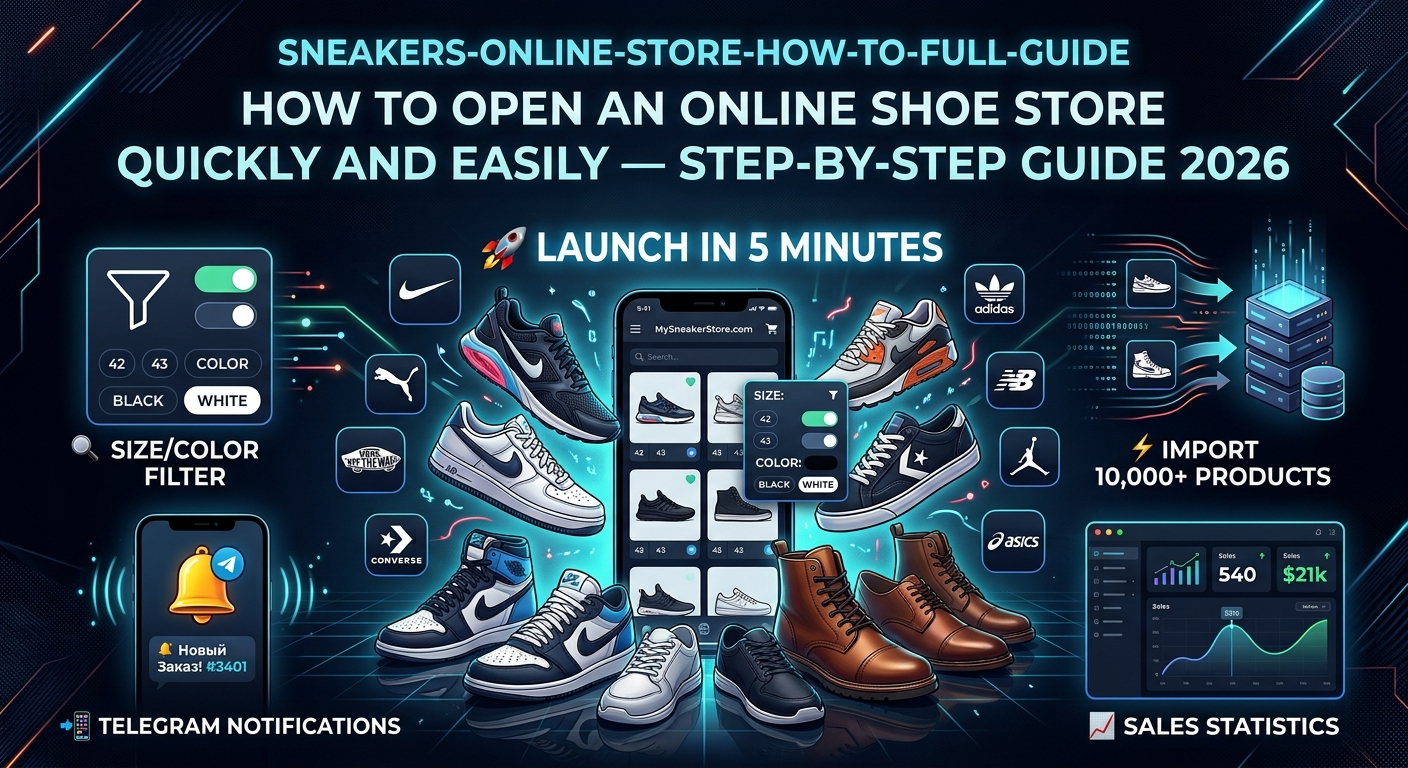
How to Open an Online Shoe Store Quickly and Easily — Step-by-Step Guide 2026
Want to open a shoe or sneaker store? We'll walk you through step by step: from choosing a template and setting up a filter to your first sales. No fluff, just practical advice.
📄 Table of Contents
- Potential Profit and Real Benefits
- Step-by-Step Store Creation Plan
- Choosing a Template and Store Design
- Catalog Structure: Categories, Brands, Collections
- Search Filter — Key to Shoe Sales
- Adding Products: Manually or Bulk Import
- Automatic Import and Stock Updates
- Fast Order Processing and Telegram Notifications
- Delivery Methods: From Pickup Points to Auto-Generated Waybills
- Sales Statistics and Analytics
- What Affects Sales: SEO, PageSpeed, Schema.org, Site Usability
- Free Promotion: Blog, SEO, Google Ads
- API and Automation: Full Control
- Visual Editor, Templates and Block Library
- How to Start for Free
Potential Profit and Real Benefits: Why Open an Online Shoe Store About Business
Before moving to the technical part, let's honestly look at the benefits an online shoe store offers and in which situations it makes sense. Because the answer depends on where you start from.
Situation 1: You already have a physical shoe store
You know the product firsthand, you have a warehouse, suppliers, maybe even several locations. Question: why do you need a website? Answer — inventory management. A website on BooStore automatically syncs stock: what sold online is deducted from the warehouse, what was delivered is added. No double sales, no manual recalculations. You simply connect your supplier's price list to the site via auto-import — and stock updates itself. Plus — 24/7 sales without a salesperson.
Situation 2: You want to sell shoes without a warehouse (dropshipping)
This is one of the most popular scenarios. You find suppliers (Nike, Adidas, New Balance, etc.), upload their price lists to your site, set your markup — and sell. Warehouse, packaging, shipping — all handled by the supplier. Your job is to attract customers and process orders. BooStore allows you to connect up to 30 sources with different suppliers, set individual markup and filtering rules for each, and orders come directly to Telegram. No warehouse needed.
Situation 3: You want to launch a shoe store from scratch
You have an idea but no product, warehouse or big budget. Start small: 50–100 items that you purchase on order. Or take goods from a supplier on consignment. A site on BooStore can be launched in 1 day for free, and when you find out which models sell best — scale up.
The Bottom Line
An online shoe store is a flexible tool. For a physical retailer, it is a way to expand sales geography and automate inventory. For a dropshipper, it's a business without investment in goods. For a beginner, it's an entry into e-commerce with minimal risk. The BooStore platform provides the technical foundation for any of these scenarios: quick start on a ready-made template, product import, auto-stock updates, Telegram notifications and SEO.
Technical Part
Now let's move to practice. Below are specific steps, settings and tools that will turn an idea into a working online shoe store.
Step-by-Step Plan: How to Create a Shoe Store from Scratch Step-by-Step Guide
Below is a proven 9-step scheme that will take you from registration to your first order. This plan is based on the official BooStore step-by-step guide and adapted for the specifics of a shoe store.
Registration and Template Selection
Create a site on BooStore and choose a suitable template. For a shoe store, templates with an emphasis on large product images and a convenient catalog work best. The template can be changed at any time — products and settings will be preserved.
Catalog Category Setup
Create a structure: Sneakers, Casual Shoes, Dress Shoes, Boots, Sandals. Within each — by brand (Nike, Adidas, Puma, Reebok) or by purpose (running, basketball, casual). Categories can be loaded via quick import or manually.
Creating a Search Filter (Mandatory!)
Configure product types and attributes: size (EU, US, UK), color, brand, material, seasonality, purpose. This is the foundation for convenient navigation in a shoe store. More details in the filter section.
Uploading Products
Add products manually (for 50–100 items) or do a bulk import via Excel, CSV, Google Sheets or XML. Variants are supported — each size and color with its own SKU, price and stock.
Setting Up the Main Menu and Mobile Version
Create a convenient menu with categories. Set up a mobile app-style menu with icons, search and filter. Over 70% of shoe purchases are made from a phone — the mobile version is critical.
Delivery and Payment Methods
Set up delivery: Nova Poshta, Ukrposhta, pickup, courier delivery. Enable auto-creation of waybills. Add online payment: Monobank, LiqPay, PrivatBank, NovaPay, Hutko, WayForPay, Fondy, iPay, Stripe, Square, PayPal and others.
Connecting Notifications and Statistics
Set up notifications about new orders in Telegram. Connect Google Analytics, counters and sales statistics. You'll see which sneaker models sell best.
SEO Setup and Content
Fill in meta tags for categories and products, set up SEO-friendly URLs, Schema.org markup. Create a blog with useful articles: "How to Choose Running Shoes", "Shoe Size Chart" — this will attract free search traffic.
Launch and Promotion
Publish your site, connect a domain, submit products to Google Merchant Center, set up ads. Launch a blog and social media. Use free tools to attract your first customers.
Template Selection and Design: Start Fast, Change Painlessly Design
One of the main advantages of BooStore — you can start with a ready-made template and change the design at any time without losing products, settings or SEO positions. This fundamentally sets the platform apart from classic CMS, where changing a theme often breaks the layout.
How It Works for a Shoe Store
Choose a template from the catalog — it sets the structure, block layout, typography. After installation you can:
- Change the color scheme — in the design editor, menu colors, background, buttons, links change
- Change the header and footer — configure logo, contacts, menu
- Change the template completely — when changing a template, products, categories, delivery settings and SEO remain untouched
- Create your own design — through HTML/CSS blocks or through the visual editor
For a shoe store, it is especially important that the template supports large product images (shoes need to be shown in detail) and convenient display of variants (size chart). BooStore allows you to configure variant display as buttons, dropdown list or individual cards.
Visual Block Library
For creating unique pages without programming, use the library of ready-made visual blocks. Dozens of styles for headers, split sections, benefits, contacts, social media. You simply choose a block, configure colors and content — the block is ready to be placed on your site.
Catalog Structure: Categories, Brands, Collections Organization
A proper catalog structure is the foundation of SEO and user convenience. For a shoe store, it's important to plan the hierarchy before adding products, so you don't have to move thousands of items between categories later.
Example Structure for a Sneaker Store
- Store (root category)
- Sneakers
- Running
- Basketball
- Casual / Lifestyle
- Training
- Canvas Shoes & Slip-ons
- Dress Shoes & Loafers
- Boots & Ankle Boots
- Sandals & Flip-flops
- Accessories (laces, insoles, care products)
- Sneakers
Categories can be imported in bulk via CSV/Excel or quick text import. SEO data is filled in for each category: Title, Description, Slug, H1 heading.
Brands and Collections
On BooStore you can create manufacturers (Nike, Adidas, New Balance, Asics, Puma) and collections (seasonal selections, "New Arrivals", "Best Sellers"). This provides additional pages for SEO and convenient navigation for buyers.
Search Filter — Key to Shoe Sales Critical
If for an electronics store a filter is convenient, for a shoe store it is mandatory. A person can't try on sneakers online, so they rely on attributes: size, instep, width, material, purpose. Without a filter, a buyer will leave the site in 30 seconds.
BooStore provides a built-in smart search filter that can be configured without third-party services or extra fees.
Which Attributes to Definitely Add for Shoes
📏 Size (EU / US / UK)
The most important attribute. It's best to specify several sizing systems for an international audience. You can add foot width.
🎨 Color
Multi-select — buyers want to see all available colors of a model. Each color gets its own image.
🛡 Brand
Shoe buyers are often brand loyal. A separate filter by manufacturer is a must have.
🎾 Purpose
Running, basketball, fitness, casual, trekking — helps narrow down the choice.
⛅ Seasonality
Summer, winter, mid-season, all-season. Critical for shoes.
🛍 Upper Material
Leather, textile, synthetic, mesh — an important selection criterion.
How to Set Up the Filter on BooStore
In the "Store" section → "Product Types and Attributes" create a new product type (e.g., "Sneakers") and add attributes with their values. Then in the product card select the type and fill in the attributes. After that, create a "Search with Filter by Product Types" block and place it on the left side of the site.
The filter works with AJAX loading — products are filtered without page reload. Auto-path to category is supported (autopath parameter) — search is performed only within the current category.
📄 Product Comparison — a Useful Filter Option
If the platform allows it, you can create product comparison based on the filter. The buyer selects 2–3 sneaker models and sees their attributes side by side: sizes, color, material, price. This greatly simplifies choice and increases conversion.
BooStore allows you to enable comparison right at the search filter setup stage. Simply check the "Comparison" box in the filter block settings — and a "Add to Compare" button will appear on product cards. Visitors can compare up to 4 products in one table.
How to Add Products: Manually or Bulk Import Content
You have two ways to fill your catalog. The choice depends on the volume.
Manual Addition — for 50–100 Items
Suitable if you are starting with a small assortment or adding exclusive items. In the admin panel, you fill in: name, price, category, image, description, attributes, variants (sizes). Convenient for spot-checking each card.
Bulk Import — for 1,000+ Products
When you have hundreds of models in multiple sizes and colors, manual addition becomes impossible. BooStore supports import from:
- Excel (CSV / XLS) — the most popular format. The structure can be downloaded via product export and used as a template
- Google Sheets — live connection via URL, changes sync automatically
- XML / YML — standard supplier price list format
- ZIP archives — if the supplier sent an archive with XML/CSV inside
images/photo1.jpg) — the archive is uploaded together with the data file, and products will receive their images.
What Can Be Imported in One Upload
📦 Variants
Sizes, colors with unique SKUs, individual prices, stock levels and images.
📈 Prices and Stock
Retail, old, wholesale and purchase prices. Quantities with +/- increments.
📄 SEO Data
Meta Title, Meta Description, SEO-friendly URL for each product.
🔍 Attributes
Linking to product type and filling attribute values for the search filter.
📷 Images
Main + up to 16 additional. The system downloads them via URL and converts to WebP automatically.
📍 Labels
"New", "Best Seller", "Sale" badges (with timer).
Automatic Import and Stock Updates Automation
The most powerful feature for a shoe store with a dynamic assortment. You set up automatic scheduled updates — and the system updates prices, stock and adds new items without your involvement.
How It Works
Specify the data source
FTP, HTTP, Google Sheet or a file on the supplier's server. You can specify a login/password for access.
Set up the schedule
Interval: from 4 hours to 30 days. Add up to 30 sources with different settings.
Mode: update or add
In "Update Only" mode, the system changes prices and stock for existing products. In full mode, it also adds new items by new SKUs.
Filters and markups
Filtering by categories, brands, suppliers. Mathematical markups: +25%, *2, +500. Works automatically.
Receive notifications
If needed, receive a detailed report via Email or Push notification in the browser. The admin panel has a summary with import responses for each source.
Filtering by Parameters and Suppliers
You can selectively import products: only Nike sneakers, only models priced above $100, only items from a specific supplier. Each source has its own filtering rules. This is especially convenient if you have several suppliers and each is responsible for their own product category.
Fast Order Processing and Telegram Notifications Speed
In the shoe business, order processing speed is critical. A buyer can find the same pair $2 cheaper and go to a competitor while you're "asleep" on the order. BooStore solves this problem with direct Telegram notifications.
How the BooStore Telegram Bot Works
When a new order arrives, the bot instantly sends a message with full information:
- Customer data: name, phone, Email
- Order contents: model, size, quantity, price
- Total amount of the order
- Delivery: address or Nova Poshta branch
- Customer comment
From the Telegram message, you can go directly to the order in the admin panel, change payment or delivery status — all in one click. You can connect multiple managers for team work.
Benefits of Fast Response
💰 Fewer cancellations
The faster you confirm an order, the higher the chance the customer won't cancel it.
📲 Instant communication
Notification arrives in seconds — no need to check email or admin panel.
📈 Team control
All managers receive notifications simultaneously — no order gets lost.
✅ One-click status updates
Accepted order → pressed button in Telegram → status updated. No need to enter the panel.
Besides Telegram, notifications can be received via Email, Push notifications in the browser and Viber. Full control across all channels.
Delivery Methods: Pickup Points, Courier Delivery, Auto-Generated Waybills Logistics
Shoes are a product that is often returned due to an incorrect size. So it's important to offer convenient delivery options and fast exchange/returns. BooStore supports all popular delivery methods in Ukraine and other countries.
Which Delivery Methods Can Be Configured
- Nova Poshta — to a branch, parcel locker or courier to an address with API integration and up-to-date pickup points
- Ukrposhta — to a branch or courier
- Meest — to a branch or parcel locker, across Ukraine and abroad, with API integration and pickup-point autocomplete
- International delivery — via GoShippo (DHL, UPS, FedEx, USPS and others), if you work with foreign customers
- Pickup — from a store or warehouse
- Address delivery — courier to an address
- Pickup points / Parcel lockers — loaded via the API of connected services (Nova Poshta, Meest and others)
- Custom delivery methods — you can create any options: courier delivery with a surcharge, free delivery from a certain amount, with automatic recalculation of the order total including delivery
Automatic Waybill (TTN) Creation
One of the most sought-after features for a shoe store — automatic creation of a waybill (TTN) when an order is placed. BooStore can automatically create waybills for all connected delivery services — Nova Poshta, Ukrposhta, Meest, and also international via GoShippo. It works like this:
- The buyer selects delivery by the required service and fills in the details
- When the order status changes, the system automatically creates a waybill via the chosen service API
- The waybill number is recorded in the order, the customer receives a notification with the tracking number
This saves hours of work every day, especially when there are 50+ orders.
Setting Up Costs and Deadlines
For each delivery method, you can specify the cost, delivery time, minimum amount for free delivery. For example: "Free Nova Poshta delivery for orders over $50". Different conditions can be set for different cities or regions.
Which Delivery Services Can Be Connected via API
BooStore integrates with popular delivery services through their official APIs. Each service uses its own API key — other or shared keys will not work. For every service the following is available: address and pickup-point autocomplete, TTN (waybill) creation, delivery cost calculation and waybill printing.
| Service | What is available | Where it delivers |
|---|---|---|
| Nova Poshta («Нова Пошта») | Autocomplete for cities, branches and parcel lockers, TTN creation, cost calculation, waybill printing | Across Ukraine; international shipments with carrier restrictions |
| Ukrposhta (JSC «Ukrposhta») | Autocomplete for region, city, street, branch and postal index, TTN creation, cost calculation, printing | Across Ukraine; international with carrier restrictions |
| Meest (Meest Express) | Autocomplete for city, branch, parcel locker and street, TTN creation, cost calculation, printing | Across Ukraine and abroad |
| GoShippo (Goshippo multi-carrier) | International multi-carrier: country/region/city autocomplete, auto TTN creation, cost calculation by carrier rates | Worldwide (DHL, UPS, FedEx, USPS, Royal Mail and others) |
Step-by-Step Setup: API Keys and Delivery Method
- Go to «Settings» → «Store» → «Delivery» and enter the API key for the required service. Keys are different per service: Nova Poshta API key from the carrier's personal cabinet; Ukrposhta — in the bearer||counterparty format; Meest — login and password (arranged through Meest support/site meest.com); GoShippo — key from the Goshippo panel.
- Then open «Store» → «Delivery» → «Delivery method choice (in the checkout form)» and create a delivery method by choosing the required API.
- In the «Create TTN» row choose a suitable mode (for example, «Enable — Cash on delivery»).
- Click the gear icon next to the API and specify the sender (counterparty): city, branch/warehouse, street (with autocomplete).
There can be several senders, and each can have its own default payment and delivery methods — convenient when you have multiple warehouses or ship from different cities.
Creating and Deleting Waybills (TTN) Directly on the Site
Waybills can be created and deleted entirely right on the site. There are two approaches:
- Automatically — when the order status changes, the system creates the waybill via the service API by itself.
- Manually from the seller cabinet (recommended) — when editing an order you create the waybill with the most accurate data after checking the order.
In the seller cabinet when creating a waybill you can flexibly control: the delivery method, payment method, cash on delivery and payment control. If cash on delivery or payment control is selected — you separately specify the amount expected to be returned and where to send it: cash on receipt, to a card, or to a bank account (IBAN).
«Create TTN» Modes (how to configure payment)
In the delivery method settings, the «Create TTN» field offers modes that define who pays and for what:
- Disable — the waybill is not created automatically (delivery cost is not calculated), or is created manually from the order;
- Enable — Cash on delivery — the carrier itself collects money for goods and delivery on receipt;
- Enable — Recipient pays for delivery only — the recipient pays only for delivery on receipt;
- Enable — Recipient pays for goods only — you pay for delivery, the recipient pays only for the goods;
- Enable — No recipient payment — the customer pays everything online at once;
- + add delivery cost to the order total — you pay for delivery but its cost is added to the order amount.
If you plan to create waybills manually from the order cabinet — choose the «Disable» mode (then cash-on-delivery/payment parameters are set right in the waybill popup). If automatic creation is not needed — just enable the service API and leave «Create TTN» disabled.
Cost and Restrictions of a Delivery Method
For each delivery method you can flexibly set conditions:
- show the method only within a certain range of order amount, volume (m³) or weight — for example, only for freight branches;
- country filter — which countries see this delivery method;
- own delivery cost added always — for example, a surcharge for handling cash on delivery;
- free delivery from an amount, different deadlines and costs.
Address Fields and Autocomplete
For each delivery method you configure which address fields the customer sees when ordering: a one-line address, or separated (country/region/city/street/house/apartment/postal index), or branch/parcel locker/pickup fields. Autocomplete depends on the set of fields: if the «region + city + branch» fields are enabled, hints for these values appear in any connected API while typing. All services also support street hints if showing the street field is enabled. Just enter the API key and select the required API for the method — and autofill starts working automatically.
Different delivery methods can be created for different languages, and you can set your own descriptions that customers see when choosing a method in the cart.
Waybill Printing
For all connected services (Nova Poshta, Meest, Ukrposhta, as well as international via GoShippo) waybill printing by TTN number is available right from the cabinet — from an order or from the waybill creation window.
Manager Access to Delivery
If you are not the only one managing the site, add a manager and enable the right to create waybills for them in the delivery settings — otherwise they will not be able to issue waybills. The site owner and administrator have access by default.
Online Payment: Accepting Payments on the Site Finances
A modern online shoe store should offer customers a convenient choice of payment methods. BooStore supports both cash on delivery and full online payment by bank card, Google Pay, Apple Pay and other methods.
What Can Be Configured
- Cash on delivery — classic payment upon receipt at Nova Poshta
- Online card payment — Visa, MasterCard via Monobank, LiqPay, PrivatBank, NovaPay, Hutko, WayForPay, Fondy, iPay, Stripe, Square, PayPal and others
- Google Pay / Apple Pay — one-click payment from mobile devices
- Customer choice of payment method — the buyer decides how to pay when placing the order
Online payment is configured in the admin panel in a few clicks. If you don't know how to best organize payment acceptance and what documents are needed, check out our article:
Sales Statistics: What Sells and What Needs Reviewing Analytics
Without analytics, you're managing your store blindly. BooStore provides built-in sales statistics that help you make data-driven decisions rather than relying on intuition.
What Data You See
📊 Sales by product
Which sneaker models sell best, which sizes are most popular, which brands generate the most revenue.
📈 Daily/weekly/monthly dynamics
When sales peaks occurred, which promotions worked, how seasonality affects demand.
💲 Average order value
How much the average customer spends per order. If the average check is low, you might need to offer related products (socks, insoles, care items).
📌 Conversion rate
How many site visitors become buyers. If conversion is low, the problem could be in pricing, descriptions or site speed.
All data can be exported to CSV for detailed analysis in Excel. Google Analytics 4 integration is available "out of the box" — just paste your tracking ID.
What Affects Sales: SEO, PageSpeed, Schema.org, Usability Growth
It's not enough to open a store — it needs to be found and the purchase needs to be convenient. Here are 5 factors that directly affect a shoe store's sales and how BooStore helps with each.
1. PageSpeed — Loading Speed
Google explicitly states: loading speed is a ranking factor. If a site takes longer than 3 seconds to load, 53% of visitors leave. BooStore consistently achieves PageSpeed 99–100 points thanks to:
- Multi-level caching
- Automatic image conversion to WebP
- Gzip compression of HTML/CSS/JS
- Clean Vanilla JS without heavy libraries
- CDN-ready architecture
2. Schema.org Markup
Structured data helps Google better understand page content. BooStore automatically generates JSON-LD markup for:
- Products (price, availability, brand, size)
- Categories (breadcrumbs)
- Blog articles (author, publication date)
- Reviews (rating)
This increases CTR in search results through rich snippets — customers see the price and availability directly in Google search.
3. SEO Settings: URLs, Meta Tags, XML Sitemap
On BooStore you have full SEO control:
- SEO-friendly URLs for every product, category and article
- Meta Title and Description — individually or via shortcodes for auto-generation
- Automatic sitemap.xml generation
- robots.txt configuration
- 301 redirects (important when changing URLs or importing products)
- Open Graph for social networks
Full SEO guide: SEO Promotion Recommendations for Websites.
4. Convenient and Fast Site
A shoe store must be convenient on mobile devices (over 70% of purchases from phones). BooStore provides:
- Mobile app-style menu — with icons, search, filter, cart
- Responsive templates — block-based layout without tables
- Product comparison — customers can compare 2–3 models by attributes
- Product widgets — display new arrivals, best sellers, promotions on any page
- Quick search — by name, SKU, brand
5. Feeds for Marketplaces and Ad Systems
BooStore supports feed generation for:
- Google Merchant Center — for Google Shopping and Performance Max
- Rozetka, Prom, Hotline, Epicentr — for marketplaces
- Facebook / Instagram — for dynamic ads
Feeds update automatically when prices and stock change. Export is configured with filtering by category, brand, price and availability status. Google Ads Guide.
Free Promotion: Blog, SEO, Content Marketing Free Traffic
Not everyone has a budget for expensive advertising. But there are free tools that work for years. BooStore provides all the necessary tools "out of the box".
Why a Blog is a Free Sales Department
An article written once can bring in customers for 2–3 years without additional investment. People search Google not only for products but also for answers to questions. A quality SEO article attracts targeted traffic that converts into purchases with a 3–8% conversion rate (vs 1–3% for ads).
Topics for a Shoe and Sneaker Store Blog
- 📝 "How to Choose Running Shoes: A Complete Guide"
- 📝 "Nike, Adidas, New Balance Sneaker Size Chart"
- 📝 "How Running Shoes Differ from Training Shoes"
- 📝 "How to Care for Leather Shoes: 10 Tips"
- 📝 "Top 10 Sneakers for Fall 2026"
- 📝 "How to Spot Fake Sneakers vs Originals"
More about content marketing: Why an Online Store Needs a Blog.
Blog Tools on BooStore
- Built-in article catalog — with categories, previews, individual pages
- SEO for each article — URLs, Meta Title/Description, Schema.org Article
- Scheduled publishing — a powerful feature for publishing articles on a schedule. Available only on BooStore
- Article import — load 50 articles from Excel/Google Sheets in 5 minutes
- Internal links — link to products and categories directly from article text
Google Ads and Paid Advertising
When you're ready to scale, connect paid advertising. BooStore supports:
- Google Shopping — product listings with photos and prices
- Google Performance Max — smart campaigns across all Google platforms
- Facebook / Instagram — dynamic catalog ads
All exports are configured in the admin panel in just a few clicks. Complete guide to launching Google Ads.
API and Full Automation — For Those Who Scale For Pros
When a store grows to tens of thousands of orders, manual management becomes a bottleneck. BooStore provides a Commerce REST API v2.0 for full integration with external systems.
What You Can Do via API
📦 Product management
Create, update, delete products. Manage prices, stock, variants.
💳 Orders
Retrieve orders, change statuses, synchronize with CRM and 1C.
📄 Categories and brands
Full management of the catalog tree, collections and manufacturers.
📈 Articles
Manage blog content, article categories, scheduled publications.
🔒 Webhooks
Automatic event data delivery (new order, payment, status change) to your system.
📊 Data export
Export products, orders, customers in JSON, CSV, XML for analytics.
Full documentation: BooStore API Integration.
Visual Editor, Templates and Block Library Creativity
BooStore is not just a CMS — it's a full-fledged design system. You can change your store's appearance without programming skills.
What's Available for Design Changes
- Template catalog — ready-made solutions for different niches. Choose and install in one click
- Design editor — change colors, fonts, background, menu style without code
- Visual block library — hundreds of ready-made colorful blocks: headers, split sections, benefits, icons, social media, contacts. Simply insert and customize colors
- Custom HTML/CSS/JS — full access to code for professional customization
- Custom blocks/menus — create a block with any content and place it on desired pages
Important: when changing a template or style, all products, categories, settings and SEO data are preserved. You can experiment with design without fear of losing anything.
How to Start for Free Right Now Free
One of the main advantages of BooStore — you can start without investment. The free plan is unlimited and includes:
📦 Up to 300 products
Enough to start a shoe store. When your assortment grows, upgrade to Pro from $3/month.
⚡ PageSpeed 99-100
Maximum loading speed on all plans, including the free one.
🔍 Search filter
Full-featured filter by attributes — free and without limits.
📄 All SEO tools
URLs, meta tags, Schema.org, sitemap.xml, 301 redirects — all available on the free plan.
📲 Product import
Manual import from CSV, XLS, XML available for free.
📖 Blog (up to 300 articles)
Built-in article catalog with scheduled publishing — free.
For connecting payment systems, enabling ad exports and increasing limits — hosting from $3/month. But you can start, test your niche and get your first sales completely for free.
Checklist: What to Do in the First Week
- ✅ Register on BooStore and choose a template
- ✅ Create catalog categories (Sneakers, Casual Shoes, Boots...) and set up the structure
- ✅ Create a product type and attributes (size, color, brand, material, season)
- ✅ Upload 10–20 first products manually or via import
- ✅ Set up the main menu and mobile menu
- ✅ Add delivery methods (Nova Poshta + pickup)
- ✅ Connect the Telegram bot for order notifications
- ✅ Fill in initial SEO tags for categories
- ✅ Write your first blog article (e.g., "How to Choose Sneaker Size")
- ✅ Connect Google Analytics
🛠 Useful Links
All resources for launching and growing a shoe store on BooStore
❓ Frequently Asked Questions FAQ
How much does it cost to open an online shoe store on BooStore?
You can start for free — the Free plan is unlimited and includes up to 300 products, search filter, blog, SEO tools and PageSpeed 99–100. For connecting payment systems, enabling ad exports and increasing limits — hosting from $3/month.
Do I need a warehouse to sell shoes?
No. You can work via dropshipping — the supplier stores and ships the product. BooStore allows you to connect up to 30 sources with different suppliers, set markups and auto-stock updates.
Can I upload thousands of products at once?
Yes. Import is supported from Excel, CSV, Google Sheets, XML, YML, ZIP archives. You can import variants (sizes, colors), SEO data, images. Automatic scheduled import from FTP/HTTP/Google Sheets is also available.
How do I accept online payments on the site?
BooStore supports Monobank, LiqPay, PrivatBank, NovaPay, Hutko, WayForPay, Fondy, iPay, Stripe, Square, PayPal and others for accepting Visa/MasterCard, Google Pay and Apple Pay. Setup takes just a few clicks in the admin panel. Cash on delivery is also available.
How to promote a shoe store for free?
Run a blog with useful articles ("How to Choose the Right Size", "Nike Size Chart", "Top Sneakers 2026") — this provides free organic search traffic. Use SEO settings: friendly URLs, meta tags, Schema.org markup, sitemap.xml. Feeds to Google Merchant Center for product listings are also available.
What if a customer wants to return shoes?
Configure return and exchange conditions in the admin panel. BooStore allows you to manage order statuses, create return waybills via Nova Poshta API and automatically adjust stock when goods are returned to the warehouse.
Can I connect my own domain and change the design later?
Yes. Any domain can be connected. When changing a template or design, all products, categories, stock and SEO settings are preserved. You can experiment with the look without risk of losing data.
Which delivery services can be connected via API?
Nova Poshta, Ukrposhta and Meest — with branch/parcel-locker autocomplete and waybill creation (Meest delivers across Ukraine and abroad). For international shipments — GoShippo: a multi-carrier with DHL, UPS, FedEx, USPS and others. Each service uses its own API key set in «Settings» → «Store» → «Delivery». The list of supported services is constantly expanding, so there may be more of them.
Can I create, delete waybills (TTN) and print shipping labels right on the site?
Yes. A waybill is created automatically when an order is sent or manually from the cabinet when editing an order (recommended for accurate data). In the cabinet you can fully control the delivery method and payment method, set cash on delivery/payment control and the amount to be returned, and delete the waybill. Printing is available for all services (Nova Poshta, Ukrposhta, Meest, international via GoShippo) by waybill number.