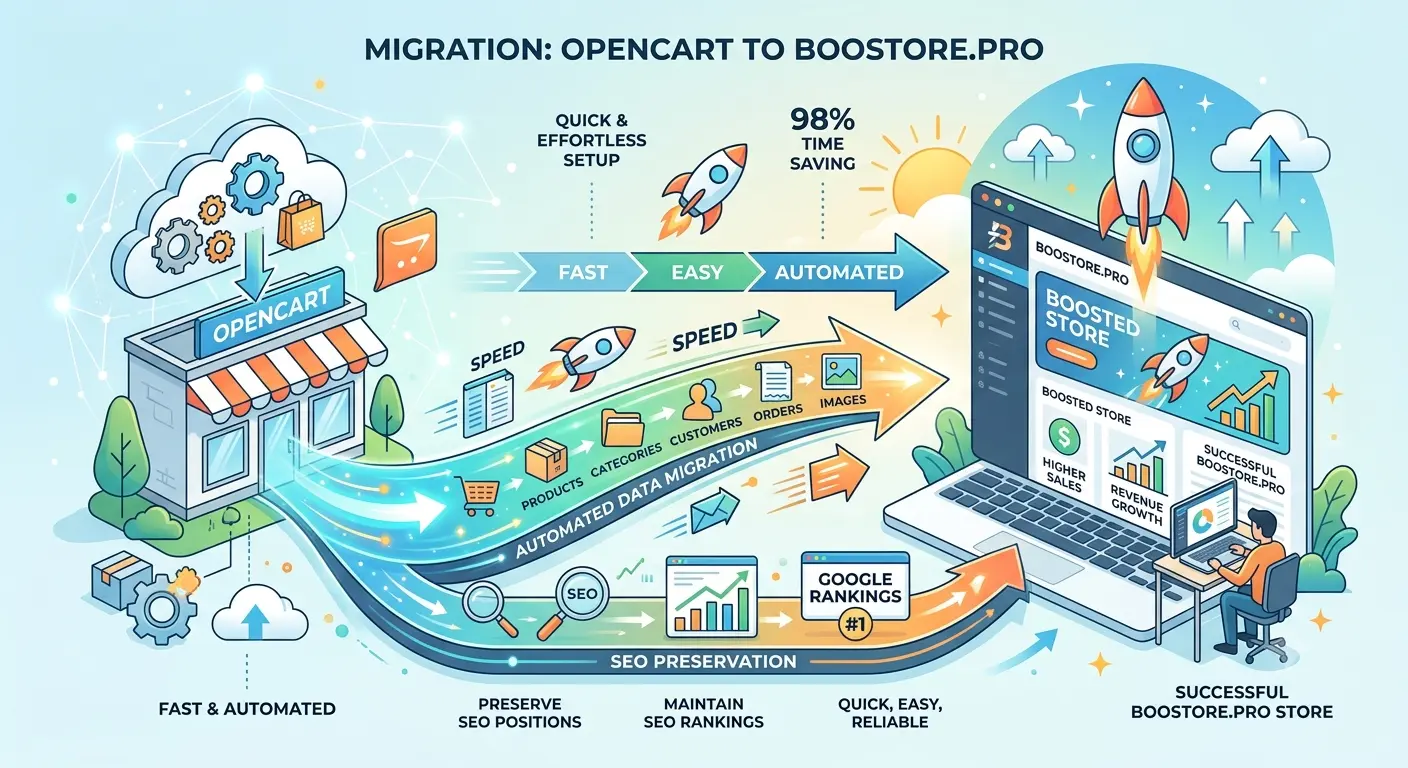
How to Migrate Your Online Store from OpenCart to BooStore Without Losing Google Rankings
Complete migration guide: catalog and product transfer, 301 redirects, SEO optimization and automation. Preserve all your search rankings and get an ultra-fast platform for sales growth.
📄 Table of Contents
- Why BooStore is Better Than OpenCart
- Transferring the Catalog (Categories)
- Transferring Products
- Import via Files (CSV, XLS, XML)
- Import via CommerceAPI
- 301 Redirects: WAS → NOW
- Preserving Google Rankings
- Mega Menu and Category Icons
- Speed and Super Capabilities
- Store Automation
- Export to Marketplaces (Rozetka, Prom, Hotline)
- Free Features
Why BooStore is a New Level for Your Store Key
OpenCart is a popular CMS, but its architecture was created over 10 years ago. BooStore is a modern SaaS platform with a completely different approach to speed, flexibility, and automation.
| Feature | OpenCart | BooStore |
|---|---|---|
| Page Load Speed (PageSpeed) | 50-70 | 99-100 |
| Product Import | Slow, limited | Lightning fast, CSV/XLS/XML/Google Sheets |
| Scheduled Automation | Requires modules | Built-in scheduler Flexible schedule, import from multiple sources in various formats |
| 301 Redirects | Via modules / .htaccess | Built-in redirect pair import |
| Mega Menu | Via add-on modules | Built-in generator |
| Category Icons | No | SVG icons in menu + images and SVG on category pages |
| CommerceAPI | Limited | Full REST API v2.0 |
| Starting Price | Hosting + domain + modules | Free (up to 300 products) |
| Built-in payment integrations | Require modules | Fondy, Wayforpay, Monobank, LiqPay, Stripe and more |
| Free SSL (HTTPS) | Requires manual setup | Included in plan |
| Built-in CRM | No | Yes, with order history |
But most importantly — BooStore allows you to migrate from OpenCart with minimal time investment and full preservation of SEO rankings. Below is a step-by-step guide.
1. Transferring the Catalog (Categories)
The first step of migration is the catalog structure. In OpenCart, categories are stored in the category and category_description tables. BooStore supports several methods for transferring categories:
📦 Method 1: Import via CSV/XLS file
The fastest way for stores with dozens or hundreds of categories.
📈 Method 2: Import via clipboard
Unique BooStore feature — paste data directly from Excel / Google Sheets via clipboard. Copy a row in Excel → paste into the import form → category created.
👉 Method 3: Import from Google Sheets
Connect a Google Sheet as a data source. All changes in the sheet are automatically synchronized with the site.
✍ Method 4: Manual creation (for 5-10 categories)
If you have few categories, you can create them manually through the admin panel. However, we recommend using import — it's faster and eliminates errors.
2. Transferring Products Important
Products are the main value of your store. When transferring, it is important to preserve: names, descriptions, images, prices (retail and wholesale), variants (sizes, colors), characteristics, SEO data, stock quantities, manufacturers, and collections.
📦 Importing products from files (CSV / XLS / XML)
Export your products from OpenCart to CSV (via standard export or a module). Then import into BooStore. The column format can be easily customized to match your data.
What you can import in one upload:
- Basic data: name, short and full description, price, old price (for promotions), currency
- SEO: Meta Title, Meta Description, SEO URL, H1 heading
- Variants: sizes, colors with individual prices, markups, SKUs, and wholesale prices
- Images: load by URL — the system will download, optimize, and convert to WebP automatically
- Characteristics: any product properties linked to the search filter
- Categories: linking to one or multiple categories
- Manufacturers and collections: additional categories with their own product lists
- Wholesale prices: price grids with quantity dependence
3. Import via Files — Formats and Capabilities
BooStore supports all popular import formats. Unlike OpenCart, where import often requires installing additional modules, everything is built-in "out of the box".
📄 CSV / XLS (Excel)
Universal format. Can be copied directly from clipboard. Supported delimiters: semicolon, comma, tab.
📋 Google Sheets
Live connection. Provide a link to a Google Sheet — the system will load the data. Changes are synchronized automatically.
📦 XML / YML
Standard format for price lists. Support for any XML structures with flexible field mapping rules.
📦 ZIP archives
The system can unpack ZIP files with XML/CSV inside and process them as regular sources.
After importing products, you can use the bulk editor for mass changes: set percentage markups, change prices by formula, replace categories, update stock — all through the web interface without page reloads.
4. Import via CommerceAPI v2.0
For large stores and continuous synchronization with external systems (1C, ERP, CRM), BooStore provides a powerful REST API.
Via the API you can:
- Create and update products (POST / PUT)
- Manage categories, manufacturers, collections
- Update stock quantities and prices
- Create orders from external systems
- Retrieve sales statistics in JSON
Example request to create a product via CommerceAPI:
This is the ideal solution if you want to set up two-way synchronization between OpenCart (old store) and BooStore, transferring data gradually without stopping sales.
5. 301 Redirects: WAS → NOW Critical for SEO
The most common problem during migration — loss of positions due to changed URLs. BooStore offers a simple yet powerful solution: built-in 301 redirect system.
How it works in BooStore
The admin panel has a "Redirects (301 redirects)" section where you specify pairs: old path → new path. The system automatically processes all requests and returns a 301 status.
Redirect examples
| WAS (old URL on OpenCart) | NOW (new URL on BooStore) |
|---|---|
/sneakers/adidas-123.html | /sneakers/adidas-123.html |
/category/shoes&sort=popular | /shoes/ |
/product&id=456 | /sneakers/nike-air-max.html |
/index.php?route=product/manufacturer | /producers/ |
/category/sport&page=2 | /sport/page2/ |
How to quickly prepare a redirect list
Thanks to BooStore's support for SEO-friendly URLs, you can make the new URL practically identical to the old path. If the category structure changes, the redirect list is easily generated using an Excel formula:
Copy the columns → paste into the redirect import form in BooStore → done. Even for 10,000 products, this takes no more than 5 minutes.
6. Preserving Google Rankings SEO
BooStore is built with all modern search engine requirements in mind. Here is what guarantees the preservation and improvement of your rankings:
🚀 PageSpeed 99-100
Instant page loading — one of the most important ranking factors. BooStore achieves 99-100 across all Google PageSpeed metrics.
🔍 Schema.org microdata
Automatic JSON-LD markup generation for products, categories, and articles. Google sees structured data and ranks better.
📈 SEO-friendly URLs
Full control over SEO URLs. You set the path for each product and category. Redirects from old paths — via the built-in tool.
📊 XML Sitemap
Automatic sitemap.xml and robots.txt generation with correct settings. No manual configuration needed.
📕 Meta tags
Individual Title and Description for each product and category. Open Graph support for social media.
🔄 Google Merchant
Ready export to Google Merchant Center for product ads and free listings. Custom labels included.
The BooStore platform is constantly updated: all new features for SEO and AI search results are implemented. You get all improvements automatically — for free.
8. Speed and Super Capabilities of the BooStore Platform 99-100 PageSpeed
BooStore is built on a modern high-performance architecture that delivers incredible speed even under high load. This is not just words — it's the result of technical solutions:
⚡ Lightning-fast backend
Optimized core, minimal SQL queries, no heavy libraries. The system processes millions of products without slowdown.
📦 Smart caching
Multi-level data and image caching. When importing, only changed items' cache is cleared — the site stays fast.
🎨 WebP and compression
Automatic image conversion to WebP, Gzip compression of HTML, CSS, and JS. Minimal page size — maximum speed.
🔴 CDN-ready
Support for external CDN connections for static assets. Images and scripts are delivered from the server closest to the user.
📈 Core Web Vitals
Ideal LCP, FID, CLS scores. Google confirms — BooStore sites meet the highest standards.
🔄 Continuous updates
The platform is constantly evolving: new technologies for SEO, AI search, speed, and functionality are implemented — all for free.
What else does BooStore offer?
- Full HTML/CSS/JS customization — create any tabs, blocks, styles, and custom HTML content on product pages
- Custom tabs in the product card — for specifications, reviews, delivery, video
- Flexible design — change any site element through the visual editor or directly via CSS
- Ready-made templates and block library — professional presets for fast page creation
- Product variants — size/color matrix with separate prices, stock, SKUs
- Wholesale prices — price grids with quantity-dependent pricing
- Full-featured search filter — characteristics, comparison, smart filters
9. Setting Up Store Automation Auto
After migrating your store to BooStore, you gain access to a powerful automation system that is unavailable in OpenCart without additional modules and plugins.
What can be automated:
- Scheduled import — price and stock updates from 4 hours to 28 days. Multiple sources with different settings.
- Automatic notifications — Telegram, Email, Push notifications about new orders, import results, status changes.
- Automatic description generation — description templates that are substituted based on product characteristics.
- Automatic marketplace export — Google Merchant, Rozetka, Prom, Hotline, Facebook, and other platforms.
- Webhook notifications — real-time order data transfer to CRM / ERP.
- Auto-replies to forms — instant emails to customers after submitting contact forms.
- Booking Engine — service booking automation with calendar and online payment.
Read more about all automation features on the page:
10. Export to Marketplaces and Price List Export Rozetka, Prom, Hotline
After migrating your store to BooStore, you gain the ability not only to manage your catalog within the platform but also to automatically export products to leading Ukrainian marketplaces and export full price lists in any format.
📦 Ready-made marketplace integrations
BooStore supports direct product export to popular trading platforms. You don't need additional modules — everything is configured in the admin panel in minutes:
📦 Rozetka
Direct product export to Rozetka via XML feed. Prices, stock, images synchronized automatically.
📦 Prom.ua
Ready integration with Prom.ua — catalog, price, and stock export. Support for wholesale and retail prices.
📦 Hotline
Export to Hotline format for price comparison. Automatic scheduled offer updates.
📦 Epicentr
Product export to the Epicentr platform. Support for categories, characteristics, and images.
📄 Full price list export
The platform allows flexible configuration of catalog exports in any format for suppliers, aggregators, or internal systems:
- YML (Yandex Market Language) — universal format for marketplaces. Prices, stock, characteristics, images.
- JSON — full structured catalog export for integration with external systems via API.
- CSV / XLS (Excel) — classic tabular export with field selection, category and price filtering.
- XML — flexible XML export with configurable structure for any marketplace or aggregator requirements.
Thanks to built-in integrations, you save weeks of development — on OpenCart, each platform required a separate module, configuration, and paid support. On BooStore, everything works "out of the box".
11. Free Features of BooStore
One of the platform's key advantages — most features are available completely free and without time limits. You can start migrating right now with zero investment.
📦 Up to 300 products
The free plan allows up to 300 products — enough for testing and getting started.
📈 Import from CSV/XLS/XML
Manual import of categories, products, articles, and manufacturers is available for free.
🚀 PageSpeed 99-100
Maximum loading speed on all plans, including the free one.
🔒 SSL certificate
SSL (HTTPS) for your store — security and visitor trust.
📦 Templates and design
Full access to design customization, editor, block library, and templates.
📈 SEO tools
SEO-friendly URLs, meta tags, Schema.org, sitemap.xml — all SEO tools for free.
To increase limits and connect payment systems, hosting from $3/month is available. But you can start migrating completely free of charge.
🚀 Ready for Migration?
Migrating your online store from OpenCart to BooStore is not just a platform change. It's a leap to a new level of speed, automation, and SEO capabilities. You get:
- PageSpeed 99-100 — higher than 99% of sites on any CMS
- Instant import of thousands of products with full data
- 24/7 automation working without your involvement
- 301 redirects preserving all Google rankings
- Mega Menu generator with SVG icons for categories
- Full design flexibility — tabs, HTML, CSS, custom blocks
- Free start with no investment
Don't wait — start your migration today!
No credit card required. Full access to Core features.
❓ Frequently Asked Questions about Migrating from OpenCart to BooStore
Answers to the most popular questions about migrating your online store, preserving SEO rankings, and BooStore platform capabilities.
How long does it take to migrate a store from OpenCart to BooStore?
Migration time depends on data volume. A store with 500–1000 products can be migrated in 1–2 hours via CSV/XLS import. Large catalogs (10,000+ products) — in a few hours via CommerceAPI or file import. If you subscribe to a paid plan, the BooStore team will perform a free transfer of your store — you don't need to do it yourself.
Will my Google rankings be preserved after moving from OpenCart to BooStore?
Yes, with proper configuration SEO rankings are fully preserved. BooStore supports:
- 301 redirects — bulk import of "old URL → new URL" pairs to transfer link equity
- SEO-friendly URLs — you can make URLs identical to old OpenCart addresses
- Meta Title and Meta Description — individual for each product and category
- Schema.org microdata — automatic JSON-LD markup for products and categories
- XML Sitemap — automatic sitemap.xml generation with correct priorities
Moreover, PageSpeed 99–100 on BooStore gives an additional boost to rankings — loading speed is one of Google's key ranking factors.
What formats are supported for product import?
BooStore supports all popular import formats:
- CSV — universal tabular format with any delimiters
- XLS / XLSX (Excel) — direct import from Excel files
- XML / YML — standard price list format with flexible field mapping
- Google Sheets — live connection: changes synchronize automatically
- Clipboard — copy rows from Excel/Google Sheets and paste directly into the import form
- ZIP archives — the system unpacks archives and processes XML/CSV inside
More details in Section 3. Import via Files of this article.
Can I transfer product images from OpenCart?
Yes, during import you can specify image URLs — the system will download, optimize, and convert them to WebP format. This provides a significant boost to page loading speed. Supported formats: JPG, PNG, WebP, SVG. Images are automatically compressed without quality loss.
What is CommerceAPI and how can I transfer data with it?
CommerceAPI v2.0 is a full-featured REST API by BooStore for programmatic store management. Through the API, you can create and update products, manage categories, manufacturers, orders, stock, and prices. This is the ideal solution for large stores and continuous synchronization with 1C, ERP, or CRM. An example request for creating a product via CommerceAPI is provided in Section 4 of this article.
How does BooStore differ from OpenCart in loading speed?
OpenCart typically achieves 50–70 PageSpeed points due to outdated architecture, numerous SQL queries, and lack of modern caching. BooStore consistently achieves 99–100 points across all Google PageSpeed metrics thanks to:
- Optimized core with minimal SQL queries
- Multi-level data and image caching
- Automatic image conversion to WebP
- Gzip compression of HTML, CSS, and JS
- Ideal Core Web Vitals scores (LCP, FID, CLS)
Can I export products to Rozetka, Prom, Hotline from BooStore?
Yes, BooStore has built-in integrations with leading Ukrainian marketplaces: Rozetka, Prom.ua, Hotline, Epicentr, and others. Export is configured in the admin panel in minutes without additional modules. Export in YML, JSON, CSV, XML formats for any other platforms is also available. All exports work on a schedule — prices, stock, and products update automatically. More in Section 10 of this article.
How much does BooStore cost? Is there a free plan?
Yes, BooStore offers a free plan with no time limit, which includes:
- Up to 300 products in the catalog
- Manual import from CSV/XLS/XML
- PageSpeed 99–100
- SSL certificate (HTTPS)
- Full access to design customization
- All SEO tools (SEO URLs, meta tags, Schema.org, sitemap)
Paid plans start from $3/month and provide increased limits, payment system connections, automatic scheduled import, and priority support. View all plans →
How to set up 301 redirects from old OpenCart URLs to new ones?
The BooStore admin panel has a "Redirects (301 redirects)" section. You specify "old path → new path" pairs, and the system automatically processes all requests, returning a 301 status. Redirects can be imported in bulk via CSV file or clipboard — prepare a list in Excel in 5 minutes and upload in one action. No messing with .htaccess or modules. More in Section 5.
What automation features does BooStore have?
BooStore offers a built-in automation system that in OpenCart requires installing paid modules:
- Scheduled import — price and stock updates from 4 hours to 28 days
- Notifications — Telegram, Email, Push for new orders and import results
- Automatic description generation — templates that substitute product characteristics
- Marketplace export — Rozetka, Prom, Hotline, Epicentr on schedule
- Webhook notifications — real-time order transfer to CRM/ERP
- Booking Engine — service booking automation with calendar and payment
More in Section 9 of this article.
Can I keep the design and menu structure from OpenCart?
Yes, BooStore offers a built-in Mega Menu generator that allows you to create a menu similar to OpenCart, but with far greater capabilities. Available menu types: Mega Menu (full-screen), Flex Menu (vertical), horizontal, and mobile. For categories, you can upload icons in PNG, JPG, WebP, and SVG formats, as well as use the ready-made platform SVG icon library. Full HTML/CSS/JS customization provides flexibility to match any brand.
How are product variants (sizes, colors) transferred?
BooStore supports a full variant matrix: sizes, colors, and any other options with individual prices, markups, SKUs, stock, and wholesale prices. When importing from CSV/XLS, all variants are loaded in a single row with option separators. The system creates the matrix and links it to the product automatically.
Does BooStore support wholesale prices and price grids?
Yes, the platform supports quantity-dependent wholesale prices. You can configure price grids: for example, buying 10+ units — price 100 UAH, 50+ — 90 UAH, 100+ — 80 UAH. Wholesale prices are imported together with products and can differ for each variant.
Does BooStore have ready-made design templates?
Yes, the platform offers ready-made templates and a block library for fast page creation. You can use professional presets or fully customize the design via the visual editor, HTML/CSS/JS. Custom tabs in the product card are also available — for specifications, reviews, delivery, video. No template restrictions.
How fast does a site load on BooStore?
Sites on BooStore consistently achieve 99–100 PageSpeed points across all Google metrics. Page load time is typically 0.3–0.8 seconds even under high load. This is achieved through an optimized core, multi-level caching, WebP images, Gzip compression, and CDN readiness. More in Section 8 of this article.
Can I connect my own payment system to BooStore?
Yes, BooStore supports integration with popular Ukrainian payment systems. On paid plans, you can connect Monobank, LiqPay, PrivatBank, NovaPay, Hutko, WayForPay, Fondy, iPay, Stripe, Square, PayPal and others. Cash on delivery, bank transfer, and self-service terminal payments are also available.
Can I import products from Google Sheets?
Yes, this is one of BooStore's unique features. You connect a Google Sheet as a data source, and all changes in the sheet are automatically synchronized with the site. This is especially convenient for stores where prices and stock change frequently — just update the data in the familiar Google Sheets interface and the site updates instantly.
What if my OpenCart product URL contains dynamic parameters?
BooStore supports any URL formats for 301 redirects. You can specify an old URL with parameters (e.g., /index.php?route=product/product&product_id=123) and a new SEO-friendly address (e.g., /sneakers/nike-air-max.html). The system correctly processes the redirect with any GET parameters. For bulk redirect preparation, use the Excel formula: =CONCAT("/old-path/"; A1; ".html"); "/new-path/"; B1; ".html").
How does BooStore handle large numbers of products?
The platform is designed for catalogs of any size. An optimized core and minimal SQL queries allow processing millions of products without slowdown. Import of thousands of products takes minutes. When updating data, only changed items' cache is cleared — the site stays fast even during mass imports.
Can I use custom HTML in product descriptions?
Yes, BooStore gives you full content control. You can use custom HTML in product descriptions, any CSS styling, and create custom blocks. Configurable tabs in the product card are also available — for specifications, reviews, delivery, video. No template restrictions — full flexibility.
Does BooStore support multilingualism?
Yes, the platform supports multiple languages. You can create products, categories, and pages in different languages. SEO URLs, meta tags, and descriptions can be unique for each language. By default, Ukrainian and Russian are supported; additional languages can be added as needed.
How to quickly move from OpenCart to BooStore without losing sales?
Step-by-step seamless migration plan:
- Register a store on BooStore for free
- Export products from OpenCart to CSV
- Import categories and products into BooStore (sections 1–3)
- Set up 301 redirects from old URLs to new ones (section 5)
- Check SEO data and meta tags
- Set up import automation and export (sections 9–10)
- Point your domain to the new site
If you subscribe to a paid plan, BooStore specialists will perform a free migration of your store — a complete turnkey solution.