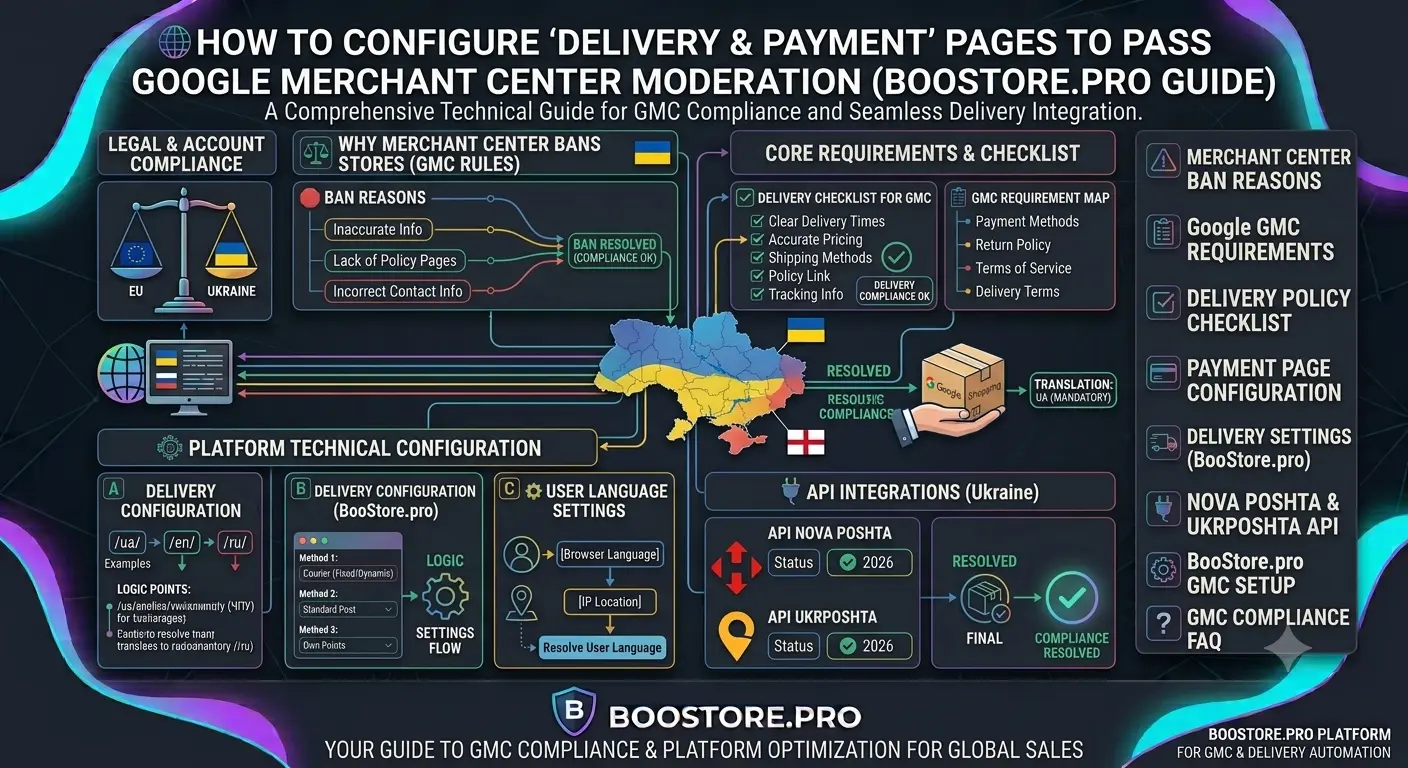
How to Properly Set Up Delivery & Payment Pages to Pass Google Merchant Center Moderation
Complete guide on setting up delivery and payment pages to successfully pass Google Merchant Center moderation. Requirement checklist, common reasons for account suspension, configuring shipping methods on BooStore with Nova Poshta, Ukrposhta integration, and custom pickup points.
📄 Table of Contents
- Why Google Merchant Center Rejects Stores
- Basic Google Requirements for Delivery and Payment Pages
- Checklist: Delivery Page Review
- Checklist: Payment Page Review
- Policy Pages: What Must Be on Your Site
- Setting Up Delivery on BooStore: All Features
- Nova Poshta Integration: Branch Search, Addresses & TTN
- Ukrposhta Integration: Regions and Branches
- Custom Pickup Points
- Frequently Asked Questions
Why Google Merchant Center Rejects Stores
Google Merchant Center is not just a platform for product listings. It is a strict moderation system that checks every store for compliance with Google's requirements. If a store does not pass the review — product listings are not shown, and the account may be suspended.
The most common reason for rejection is improperly set up delivery and payment pages. Google checks that the customer can find out the cost and delivery times as well as payment methods before placing an order. Complete guide to launching Google ads for your ecommerce store.
| Reason for Rejection | % of Cases | How to Fix |
|---|---|---|
| No "Payment & Delivery" page | 35% | Create a dedicated page with full terms |
| Delivery cost not specified | 25% | Specify cost for each region or free shipping |
| No returns page | 15% | Add a page with return and exchange terms |
| Price mismatch between feed and site | 12% | Synchronize feed with site data |
| No contact information | 8% | Add phone, email, contact form |
| No privacy policy | 5% | Add a page with data processing policy |
Before launching ads, be sure to go through the 29-point checklist for launching an online store — it will help spot issues before Google does.
Basic Google Requirements for Delivery and Payment Pages
Google has specific requirements for delivery and payment information. These requirements are described in Google Merchant Center documentation and are mandatory for all merchants.
🚚 "Delivery" Page
Must contain:
• Delivery cost (flat rate, free, based on order amount)
• Delivery times for each region
• Delivery zones (countries, regions)
• Delivery methods (courier, mail, pickup)
• Free delivery conditions (if applicable)
💳 "Payment" Page
Must contain:
• List of all available payment methods
• Description of each payment method
• Information about payment security
• Refund procedure
• Payment currency
🔒 Privacy Policy
Must contain:
• What data is collected
• How data is used
• Data retention periods
• Contact for data-related questions
📦 Returns Page
Must contain:
• Product return conditions
• Return timeframes
• Who pays for return shipping
• Return procedure
Checklist: Delivery Page Review Required
Go through each item before submitting your store for moderation. This checklist is based on real Google requirements that Merchant Center reviewers check.
| # | Check Item | Status | Note |
|---|---|---|---|
| 1 | Delivery cost stated explicitly (number or "free") | Required | Phrases like "carrier rates apply" are not enough |
| 2 | Delivery times stated in days | Required | E.g., "1-3 business days across Ukraine" |
| 3 | Delivery zones listed (country, regions) | Required | List all countries and delivery regions |
| 4 | Delivery methods listed with description | Required | Courier, Nova Poshta, Ukrposhta, pickup |
| 5 | Free delivery conditions (if any) | Recommended | E.g., "Free on orders over 1000 UAH" |
| 6 | International delivery information | If applicable | Times, cost, customs restrictions |
| 7 | Page accessible from site footer | Required | Google must easily find the page |
| 8 | Information is current as of today's date | Required | Outdated rates are grounds for rejection |
Checklist: Payment Page Review
| # | Check Item | Status |
|---|---|---|
| 1 | All payment methods listed | Required |
| 2 | Payment methods match those available on the site | Required |
| 3 | Accepted cards specified (Visa, MasterCard) | Required |
| 4 | Online payment security described (SSL) | Recommended |
| 5 | Payment currency specified | Required |
| 6 | Refund procedure described | Required |
| 7 | Page accessible from footer | Required |
Policy Pages: What Must Be on Your Site
Google checks not only delivery and payment but also the presence of other mandatory pages. Their absence is one of the common reasons for store rejection.
📄 Privacy Policy
Mandatory for any site that collects user data. Must contain information about what data is collected, how it is used, retention periods, and contact details.
📦 Return and Exchange Terms
The Consumer Rights Protection Law requires return conditions to be stated. Google also checks for this page. Specify return periods, conditions, and the procedure.
📞 Contact Page
Phone, email, address, feedback form. Google checks that the customer can contact the store.
📈 About Us
Not mandatory but recommended. Builds trust and increases conversions.
On BooStore, all pages are created through a visual editor. You can add the necessary pages in 5 minutes and place links to them in the site footer. Learn more about platform capabilities.
Setting Up Delivery on BooStore: All Features
BooStore provides flexible tools for configuring delivery that not only simplify the store owner's work but also help pass Google Merchant Center moderation. Unlike most CMS where delivery is configured through plugins, on BooStore all features are built-in. All store automation features.
Two Ways to Configure Delivery
| Parameter | Method 1: Delivery by Country | Method 2: Delivery in Order Form |
|---|---|---|
| Where to configure | Store → Delivery → By Country | Store → Delivery → In Order Form |
| Region selection | Select country → regions → cities | Predefined types with markups |
| Flexibility | Each region with its own properties | Different types, different markups |
| Cost calculation | Flat rate or based on order amount | Automatic calculation on selection |
| Custom pickup points | No | Yes |
| API integrations | Basic | Nova Poshta, Ukrposhta |
Delivery Types in Order Form
The second method is the most flexible and convenient. The customer selects the delivery type directly in the checkout form:
- Parcel Locker — delivery to a Nova Poshta parcel locker. Customer selects the nearest branch via API.
- Post Office — delivery to a Nova Poshta or Ukrposhta branch. Search branches by city.
- Address Delivery — courier to the specified address. Cost calculation depending on zone.
- Pickup — customer picks up goods from your store or warehouse.
- Custom Pickup Points — you can specify addresses where the customer can collect the goods.
For each delivery type, you can set a custom markup or discount. For example: "Courier — 100 UAH", "Pickup — free", "Nova Poshta — from 50 UAH depending on weight".
Nova Poshta Integration: Branch Search, Addresses & TTN Free
BooStore has built-in integration with Nova Poshta API, giving your customers maximum convenience when placing orders.
📍 Branch Search
The customer enters a city — the system shows nearby branches with addresses and working hours via Nova Poshta API. No need to manually enter an address.
📌 Address Search
For address delivery, the API suggests streets and building numbers. Eliminates address entry errors.
📦 Cost Calculation
Delivery cost is calculated automatically based on product weight and Nova Poshta rates. The customer sees the exact delivery price.
📄 TTN Online
After an order is placed, you can generate a TTN (shipping waybill) directly from the admin panel. The waybill number is automatically sent to the customer.
Thanks to Nova Poshta integration, your store meets Google Merchant Center requirements for transparent cost and delivery times. Order management and delivery notifications in Telegram.
Ukrposhta Integration: Regions and Branches
In addition to Nova Poshta, BooStore supports Ukrposhta API integration. This is important for stores that work with remote regions where Nova Poshta delivers slower or at higher cost.
- Region Search — customer selects the oblast, then the locality.
- Branch Search — after selecting a city, nearby Ukrposhta branches with addresses are displayed.
Connecting both delivery services (Nova Poshta + Ukrposhta) gives the customer choice and increases conversions. Each customer can choose the most convenient way to receive their order.
Custom Pickup Points
BooStore also allows you to create custom pickup points. These can be your retail stores, warehouses, or partner order pickup locations.
- Point Addresses — specify address, working hours, contact phone.
- Markup — you can set free pickup or a nominal fee.
- Multiple Points — if you have a store network, add all addresses. The customer will choose the nearest one.
How to Ensure Pages Are Ready for Moderation
Before submitting your store for Google Merchant Center moderation, perform a final check:
Check footer links
The "Delivery", "Payment", "Returns", "Privacy Policy", and "Contact" pages must be accessible from the site footer. Google checks from there specifically.
Cross-check data with feed
Delivery cost and times on the site must match those in your Google Merchant Center feed. Any discrepancy is grounds for rejection.
Test with a test order
Place a test order from start to finish. Check that the delivery cost is calculated correctly and the selected payment method works.
Check with Rich Results Test
Use Google Rich Results Test to verify structured data on delivery and payment pages.
Run Merchant Center diagnostics
In your Merchant Center account, go to "Diagnostics" and check for errors in your feed. Full pre-launch checklist.
❓ Frequently Asked Questions About Delivery & Payment for Merchant Center
Answers to questions that most often arise when preparing a store for Google Merchant Center moderation.
What pages must be on the site for Google Merchant Center?
Required: "Delivery & Payment" page (with full information about cost, times, and methods), "Returns" page (conditions and procedure), "Privacy Policy" (personal data processing), "Contact" page (phone, email, address). All pages must be accessible from the site footer.
What if Google Merchant Centre rejected my store due to delivery?
Check: 1) is the delivery cost stated explicitly (not "according to rates"); 2) do the site data match the feed data; 3) is the page accessible from the footer; 4) are all delivery zones listed. Fix the errors and resubmit the store for review through Merchant Center. Complete Google Ads guide.
How to set up delivery with automatic cost calculation on BooStore?
In the admin panel, go to "Store" → "Delivery". Select the "In Order Form" method. Add delivery types (Nova Poshta, Ukrposhta, courier, pickup). For each type, specify a markup or select automatic calculation via API. The customer will see the exact cost when placing the order. More about automation.
Is it necessary to specify delivery cost for each region?
Yes, Google recommends specifying the delivery cost for each region you ship to. If the cost is the same — state it (e.g., "100 UAH throughout Ukraine"). If it depends on the region — create a price table. On BooStore, you can set different conditions for different regions.
What payment methods should I list for successful moderation?
List all payment methods that actually work on the site: Visa/MasterCard (via LiqPay, WayForPay), Google Pay, Apple Pay, cash on delivery, payment upon receipt. Do not list methods that do not work — this discrepancy with actual data will be grounds for rejection.
How does BooStore help pass Google Merchant Center moderation?
BooStore provides: 1) built-in payment systems (LiqPay, WayForPay, Stripe); 2) integration with Nova Poshta and Ukrposhta for automatic delivery calculation; 3) flexible delivery methods with different markups; 4) custom pickup points; 5) automatic XML feed for Merchant Center with correct price and availability data. Launching Google Ads on BooStore.